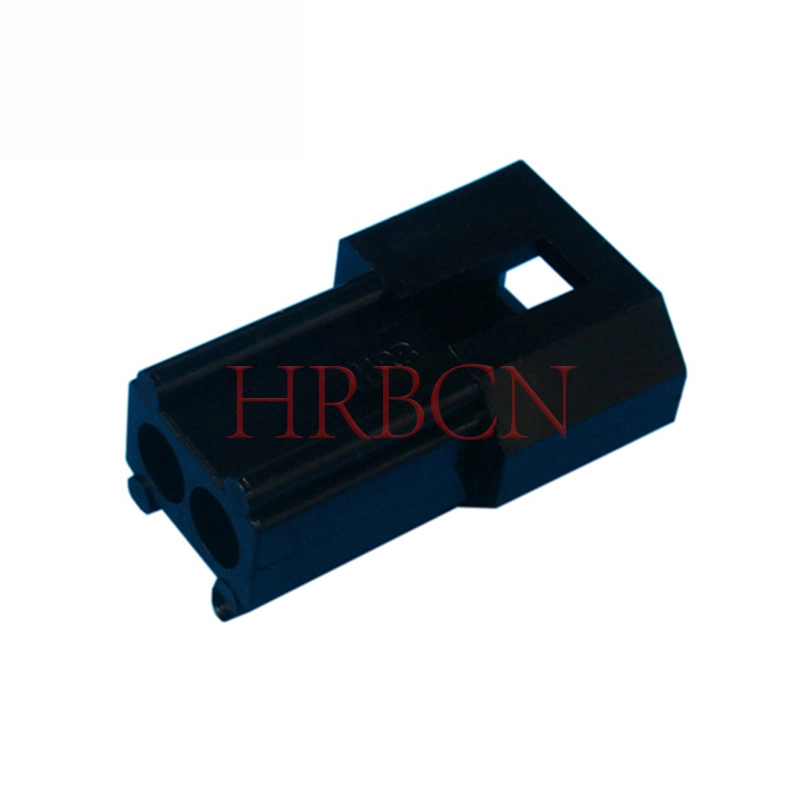
You can see a big difference between board-to-board connectors and wire-to-board connectors in how they connect electronic parts. Board-to-board connectors join two printed circuit boards right together. Wire-to-board connectors connect wires to a circuit board. What you pick changes how reliable and strong your design is. HRB&HRBCN Connector gives good choices for both types. The table below shows which connector is best for different jobs:
Connector Type | Application | Key Features |
|---|
Board-to-Board | Internal, compact devices | Saves space, fits tightly, best for dense signals |
Wire-to-Board | External wiring, high power | Handles vibration, allows easy assembly, flexible |
If you want a small, inside connection, use board-to-board connectors. If you need outside wires or more power, use wire-to-board connectors.
Key Takeaways
Board-to-board connectors join two printed circuit boards together. This helps make devices smaller and work better.
Wire-to-board connectors attach outside wires to a circuit board. This lets you connect power and signals in different ways.
Use board-to-board connectors if you want a small design. They are good for fast data in things like smartphones and laptops.
Pick wire-to-board connectors if you need outside connections. These are used for sensors and power cables in cars and home machines.
Think about things like pitch size, current rating, and how long the connector will last when you choose one for your project.
Always check if the connector can handle things like water and shaking. This makes sure it works in tough places.
Plan your PCB layout well so everything lines up right. This helps stop problems with your connectors.
HRB&HRBCN connectors have many choices that follow safety rules. This makes them safe and good for many uses.
Board-to-Board Connectors Overview
What Are Board-to-Board Connectors
Board-to-board connectors join two printed circuit boards together. These connectors help you make electronic systems in parts. You do not need extra wires, so devices can be smaller. Board-to-board connectors move data fast and keep things simple. They also help with shaking, signal problems, and heat in your designs.
Here is a table that lists the main design features and what they do:
Design Features | Functional Advantages |
|---|
Enable modularity | Make layouts easier |
Support higher-speed data movement | Connect many PCBs without extra wires |
Configurations for vibration and EMI | Handle heat and fast digital signals |
You see these connectors in lots of new devices. They work in laptops, smartphones, and machines for work. Shenzhen Haiyuncheng Electronic Co., Ltd. makes board-to-board connectors that are waterproof and come in different sizes. These features help them work well inside and outside.
Types and Configurations
There are a few common btb types you can pick for your system. Each type works for a different setup or job.
Mezzanine
Mezzanine connectors let you put one board on top of another. This saves space and lets you change the layout. You often see mezzanine connectors in setups with a main board and a smaller board. They help you connect boards side by side or on top of each other.
Edge Card
Edge card connectors use the edge of a PCB to connect. You slide the board into the connector to join them. This type is good for quick setup and easy swaps. You find edge card connectors in computers and phone systems.
Stacking
Stacking connectors let you put many boards on top of each other. This makes a tall stack. You use stacking connectors in devices that need lots of connections. They help you make small products with many uses.
Here is a table that shows the types of connections and what they do:
Connection Types | Description |
|---|
Vertical stacking | Stacks boards on top of each other |
Horizontal interconnects | Connects boards next to each other |
Mezzanine configurations | Gives you more ways to set up boards |
Applications
You find board-to-board connectors in many things you use. They link PCBs without wires, so there is less mess. These connectors are great for small spaces. You use them a lot in setups with a main board and a smaller board. In electronics, they are in laptops and smartphones. Lots of pins make them good for tiny devices. In work machines, waterproof connectors from Shenzhen Haiyuncheng Electronic Co., Ltd. keep things safe from dirt and water. You can count on these connectors in tough places like factories or outside lights.
Tip: Pick connectors with a high IP rating if you want to keep out water or dust. This helps your equipment last longer and work better.
Key Parameters
When you choose board-to-board connectors, you need to look at some important parameters. These factors help you decide if a connector fits your project. Here are the main things you should check:
Pitch Options
Pitch means the distance between the pins on the connector. Smaller pitch sizes let you fit more pins in a small space. This is great for tiny devices like smartphones. Larger pitch sizes give you stronger connections and are easier to handle. The table below shows how pitch affects other features:
Pitch (mm) | Current Rating (A) | Connection Density (pins/cm²) | Mechanical Robustness | Manufacturing Complexity |
|---|
0.4 | 0.3 | 625 | * | ***** |
0.5 | 0.5 | 400 | ** | **** |
0.8 | 0.5 | 156 | **** | ** |
1.27 | 0.5-1.0 | 62 | ***** | * |
Note: Smaller pitches help you save space but can make the connector less strong and harder to assemble.
Current & Voltage
You must check how much current and voltage the connector can handle. If you use too much power, the connector may get hot or fail. Always match the connector’s rating to your device’s needs. Good board-to-board connectors keep your signals clear and safe.
Durability
Durability tells you how many times you can connect and disconnect the boards before the connector wears out. Some connectors last for thousands of cycles. If your device needs to be opened and closed often, pick a connector with high durability. Also, look for features that protect against shock, vibration, and moisture.
Design Considerations
When you plan your project, you need to think about btb design considerations. These choices affect how well your board-to-board connectors work in real life.
PCB Layout
You should plan the layout of your printed circuit boards carefully. Make sure the connectors line up with the pads on both boards.
Think about the stack height. This is the space between the two boards. Pick a connector that fits your design.
Check the space around the connector. Leave enough room for assembly and testing.
Alignment
Good alignment helps you avoid bent pins and bad connections. Use guide posts or alignment features if possible.
Make sure the mating force is not too high. If it is, you might damage the connector or the board.
Test the fit before you finish your design. This helps you catch problems early.
Tip: Always review btb design considerations like alignment, stack height, and signal integrity. These steps help you avoid costly mistakes and make your device more reliable.
When you follow these steps, you make sure your board-to-board connectors work well and last a long time.
Wire-to-Board Connectors with HRB&HRBCN Connector
What Are Wire-to-Board Connectors
Wire-to-board connectors join wires right to a printed circuit board. These connectors help make strong and safe electrical links. You can find them in lots of electronic devices. They let you bring power or signals from outside wires into your device’s board. The connector has a header on the board and a housing for the wire. They come in many shapes and sizes for different uses.
Here is a table that lists main features and parts of common wtb types:
Type of Connector | Description | Key Characteristics |
|---|
Pin Header Connectors | Male pins go on the PCB, and a socket holds the wires. | Can be single row, double row, or in a grid. |
Card Edge Connectors | Board edge contacts plug into a socket. | Boards are easy to put in or take out. |
FFC/FPC Connectors | Flat cables connect to the board. | They are thin and have separate contacts. |
Circular Connectors | Round connectors carry power and signals. | They have strong metal shells and come in many sizes. |
You pick the right connector by checking pitch, current, voltage, and other details. These things help you match the connector to your project.
Types and Features
There are a few common wtb types you can choose from. Each type is best for certain jobs and makes building easier.
Crimp
Crimp connectors use a metal piece pressed onto the wire. You need a special tool to squeeze it tight. This makes a strong link between the wire and connector. Crimp connectors are fast to use and very reliable. You see them in cars and machines where you need a safe connection.
IDC
IDC means Insulation Displacement Connector. You do not have to strip the wire first. The connector has sharp blades that cut through the wire’s cover and touch the metal. IDC connectors save time and work well with ribbon cables. You find them in computers and control panels.
Screw Terminal
Screw terminal connectors use a screw to hold the wire. You put the wire in and turn the screw to keep it tight. This type is simple and lets you change wires quickly. Screw terminals are used in factory equipment and power supplies.
Applications
Wire-to-board connectors are used in many places. They connect power and signals in electric cars. You also see them in driver-assistance systems. These connectors make strong links in car electrical systems. In factories, they work in machines and control systems.
Tip: Pick the right connector for your job to make your device safer and stronger.
Wire-to-board connectors give you both strength and flexibility. You can use them in cars, home electronics, and factory machines. They help you build devices that last and work well.
Technical Specs
When you pick wire-to-board connectors, you must check some key specs. These specs help you choose the right connector for your project. They also make sure your connector works well in all situations.
Pitch Sizes
Pitch size is the space between each pin on the connector. You can find many pitch sizes, like 2.5mm and 5.08mm. Small pitch sizes let you fit more pins in a small area. Large pitch sizes are easier to use and make stronger links. Always match the pitch size to your design and wtb design considerations.
Plating Options
Plating covers the connector pins to stop rust and help electricity move. You can pick gold or tin plating. Gold plating gives the best protection and works in hard places. Tin plating is good for most uses and costs less.
Environmental Resistance
You want your connector to last, even in hard places. Good wire-to-board connectors keep out water, dust, and chemicals. They also work in hot or cold weather. Look for features like oxidation resistance and strong materials. These things help your connector last longer and keep your device safe.
Feature | Impact on Reliability |
|---|
Oxidation Resistance | Keeps connections strong and steady |
Material Selection | Works in many different places |
Surface Plating | Lowers the need for repairs |
Testing Methods | Makes sure the connector lasts a long time |
Tip: Always think about wtb design considerations like vibration, shock, and temperature when you pick a connector. This helps you avoid problems in your device.
Advantages of HRB&HRBCN Wire to Board Connector
You get many good things when you use the Wire to board connector from HRB&HRBCN Connector. These connectors are made for high performance and safety in many jobs.
Versatility
You can use these connectors in many ways. They come in lots of pitch sizes and shapes. You can pick right-angle or vertical headers, single or dual-row designs, and different plating options. This makes it easy to fit the connector into your project. You can use them in cars, factories, and home electronics. They also work well in things like smart appliances and factory machines.
Reliability
HRB&HRBCN wire-to-board connectors are made to last. They have strong locks and can handle shaking and bumps. You can use them in places with lots of movement or bad weather. These connectors meet top industry standards, such as ISO 9001, UL/cUL, TS16949, TUV, and VDE. You can trust them to keep your device safe and working. They also help you save money because you do not need to replace them often.
Advantage | Description |
|---|
Enhanced Reliability | Keeps connections safe in tough places |
Cost Savings | Lasts longer, so you spend less on repairs |
Safety Compliance | Meets strict safety rules for many jobs |
Increased Efficiency | Makes your devices work better and faster |
Integrated Solutions | Lets you match connectors and wiring harnesses for easy setup |
Note: Always check certifications and wtb design considerations before you choose a connector. This helps you meet safety rules and keeps your device running well.
Comparison: Board-to-Board vs. Wire-to-Board
Functional Differences
When you compare how these connectors work, you see they are different. Board-to-board connectors join two printed circuit boards together. You use them if you want your device to be small and tidy. Wire-to-board connectors let you attach wires to a printed circuit board. This helps you connect things like sensors or switches to your main board.
Here is a table that shows the main ways they are different:
Feature | Board-to-Board Connectors | Wire-to-Board Connectors |
|---|
Direct Connection | Links two PCBs directly | Attaches wires to a PCB |
Design Purpose | Ideal for compact designs | Integrates external components |
Connection Type | Plug-socket structure | Cable interfaces |
Physical Structure | Flattened, double-row pins, springs | Single/multi-row pins, crimping/solder |
Signal Transmission | High-density, fast data | Flexible for many cable types |
Application Scenarios | Phones, servers, industrial machines | Home appliances, computer peripherals |
You use board-to-board connectors when you want to link two boards inside a device. You use wire-to-board connectors when you need to bring in power or signals from outside.
Tip: Think about what you need to connect. If you want to join two boards, use board-to-board connectors. If you need to connect wires, use wire-to-board connectors.
Performance & Use Cases
It is important to know how each connector works in real life. Board-to-board connectors move data quickly between boards. They are best for devices that need lots of signals in a small space, like smartphones or servers. These connectors can send data very fast, sometimes over 10Gbps.
Wire-to-board connectors are good for power and slower signals. You use them when you need to connect wires to a board, like in home appliances or cars. They work well for short or medium distances and make it easy to add or change parts.
Here is a table to help you compare how they work and where you use them:
Feature | Board-to-Board Connectors | Wire-to-Board Connectors |
|---|
Primary Use | High-density board connections | Connecting wires to PCBs |
Signal Transmission | High-speed (above 10Gbps) | Medium/low-speed, power signals |
Structure | Plug-socket, double-row, spring contacts | Crimping, soldering, cable interfaces |
Application | Phones, servers, high-speed devices | Appliances, automotive, basic controls |
Space Efficiency | Great for small, compact designs | Good for flexible, easy assembly |
Board-to-board connectors: You use these when you need fast data and lots of connections, like in computers or smart devices.
Wire-to-board connectors: You use these when you need to connect outside parts, like sensors or power cables, to your board.
Note: Board-to-board connectors help you build small, fast devices. Wire-to-board connectors help you add outside parts and make repairs easier.
Mechanical & Environmental Factors
You need to think about where and how you will use each connector. The place you use them can change how well they work. Board-to-board connectors are often inside devices, so they must fit tightly and handle shaking or bumps. You should check things like pitch, pin count, and how many times you can connect and disconnect them.
Wire-to-board connectors often face more stress. They might need to keep out water, dust, or chemicals. You should look at how strong the lock is, how well it resists pulling, and if it can handle changes in temperature or wetness.
Here are some important things to think about:
Where you use it (inside or outside)
How much force you need to connect or disconnect
How deep the connector goes in and pin setup
Pitch and pin count
How many times you can use it before it wears out
If it can handle shaking, bumps, wetness, and temperature changes
If it can resist things that cause rust
Tip: Always pick a connector that matches where you will use it. If your device moves a lot or faces bad weather, choose a connector that can handle it.
You can use this engineering comparison to help you pick the right connector for your project. Think about what you need to connect, how fast your signals need to go, and where your device will be used.
When to Choose Each Type
You need to know when to use board-to-board connectors and when to use wire-to-board connectors. Each type works best in different situations. If you want your project to work well, you must match the connector to your needs.
Choose board-to-board connectors when:
You want to connect two or more printed circuit boards inside one device.
You build modular electronics that need easy upgrades or repairs.
You design products with expansion or daughter boards.
You need to route signals between PCBs without using extra wires.
You want a compact and tidy layout inside an enclosure.
These connectors help you save space and keep your device organized. You often see them in laptops, smartphones, and other small electronics. They also work well in machines that need many boards stacked together.
Choose wire-to-board connectors when:
You need to connect wires from outside your device to a printed circuit board.
You want to add sensors, switches, or power cables to your system.
You build devices that need flexible wiring or easy assembly.
You work with equipment that faces vibration, movement, or harsh environments.
You want to make repairs or changes without opening the whole device.
Wire-to-board connectors give you more flexibility. You can use them in cars, home appliances, and factory machines. They make it easy to add or change parts.
Tip: Always look at your project’s needs before you pick a connector. Think about where you will use it, how much space you have, and how often you need to connect or disconnect parts.
You can use an engineering comparison to help you decide. Look at the structure, use case, and environment for each connector. This way, you choose the best type for your design and make your device last longer.
Choosing the Right Connector
Application Requirements
You need to pick a connector that fits your project. Each connector type has its own shape and best use. The table below shows which connector works for different jobs:
Connector Type | Structure Characteristics | Application Requirements |
|---|
Board-to-Board | Plug-socket, high-density, flat design | Best for fast devices like phones and servers. Good for small, neat designs. |
Wire-to-Board | Cable interfaces, flexible, supports soldering or crimping | Works in many devices. Easy to put in and fix. Used in home gadgets and add-ons. |
Pitch and Density | Pitch as small as 0.4mm for compact designs | Needed for lots of connections in tiny electronics. |
| Pitch above 1.0mm for flexible cable connections | Fits different needs. Makes building easier. |
Always check the size, pitch, and how much power your connector needs. Think about where you will use it and how often you will plug or unplug it.
Common Selection Mistakes
People sometimes make mistakes when picking connectors. These mistakes can cause trouble in your device. Here are some common ones:
Picking a connector without thinking about shaking, heat, or how much you use it. This can make it break too soon.
Choosing a connector just because it is cheap. This can make your device work badly when it is busy.
Using a regular connector in a tough place. This can make it stop working outside or in factories.
Pins not lining up right. This happens from bad building or wrong sizes.
You can stop these mistakes if you know what your device needs early. Always think about the quality of the parts, the coating, and the case. Work with companies that care about details and offer ways to help with alignment.
Tips for Avoiding Errors
You can make better choices by following some easy tips. The table below gives you helpful advice:
Tip | Description |
|---|
Use board-to-board connectors for high-current power rails | Handles more power and keeps your device cool and safe. |
Check mating height tolerance in stacked designs | Stops pins from missing and keeps connections strong. |
Add strain relief on wire-to-board cable assemblies | Makes your connector last longer and keeps wires safe. |
Do not rely on pitch alone for current capability | Make sure your connector can handle the power you need. |
Tip: Always test your connector in real life before you finish your design. This helps you find problems early and keeps your device working well.
You should also talk about your connector choices with your team. This helps you find mistakes and pick the best connector for your project.
HRB&HRBCN Connector Solutions
You want a connector that works well and lasts a long time. HRB&HRBCN Connector gives you many choices for your projects. You can find solutions for cars, smart homes, factories, and medical devices. The company makes sure every connector meets high standards. You get products that pass ISO 9001, UL, TS16949, TUV, and VDE tests. These certifications show that the connectors are safe and reliable.
You can pick from a wide range of connector types. Some work best for joining wires to boards. Others help you connect two boards together. You can choose the right pitch size, shape, and plating for your needs. HRB&HRBCN Connector also offers waterproof options. These keep your devices safe from water and dust.
Here is a table that shows what you get with HRB&HRBCN Connector:
Feature | What It Means for You |
|---|
Many connector types | You find the right fit for any project |
Certified for safety | You trust your device to work every time |
Waterproof designs | You use connectors outside or in tough places |
Fast delivery | You finish your project on time |
Custom solutions | You get help for special design needs |
You can talk to the HRB&HRBCN Connector team if you need help. They answer your questions and help you pick the best connector. You can also ask for custom designs. The company’s R&D team can make a connector just for your project.
Tip: Always check the certifications and features before you choose a connector. This helps you make a safe and smart choice.
You can visit the HRB&HRBCN Connector website to see all the products and solutions. You will find connectors for many industries and uses. You can trust HRB&HRBCN Connector to help you build strong and safe devices.
You can tell that board-to-board and wire-to-board connectors are not the same. Board-to-board connectors join PCBs to make small devices. Wire-to-board connectors connect outside wires for more flexible designs. If you want to pick the right connector, follow these steps:
Think about what your project needs, like space and where it will be used.
Work with your team to check the layout and what materials you need.
Make sure the connector is strong and will last a long time.
Try out the connectors before you finish your project.
You should also look at things like connector size, how much electricity it can handle, and if it meets safety rules. Check if it works well in hot, wet, or shaky places so your device stays safe and works every time.
FAQ
What is the main difference between board-to-board and wire-to-board connectors?
You use board-to-board connectors to join two circuit boards. Wire-to-board connectors let you attach wires to a circuit board. Each type fits different design needs.
When should you use a board-to-board connector?
You should use board-to-board connectors in compact devices. These connectors help you save space and keep your design neat. They work best inside electronics like laptops and smartphones.
What industries use wire-to-board connectors?
You find wire-to-board connectors in automotive, industrial automation, consumer electronics, and medical technology. These connectors help you build strong and flexible systems.
How do you choose the right connector pitch?
You check your device size and signal needs. Small pitch fits tight spaces. Large pitch gives stronger connections. Always match the pitch to your project requirements.
Are HRB&HRBCN connectors certified for safety?
Yes. HRB&HRBCN connectors meet ISO 9001, UL, TS16949, TUV, and VDE standards. You can trust these connectors for safe and reliable performance.
Can you use wire-to-board connectors outdoors?
You can use wire-to-board connectors outdoors if you pick waterproof or corrosion-resistant types. These connectors protect your device from water and dust.
What plating options are available for connectors?
You can choose gold or tin plating. Gold plating gives better conductivity and lasts longer. Tin plating works well for most uses and costs less.


